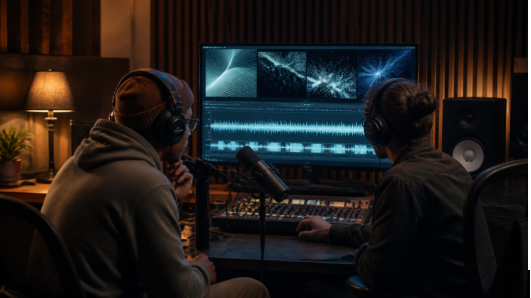
Musicians, podcasters, and event producers face a peculiar marketing problem. Their work is built around sound, but the platforms where people discover it are intensely visual. A static cover can identify the release. An animated waveform can show that audio is playing. Neither necessarily gives viewers a reason to stay.
A strong teaser creates a visual idea that develops with the sound. It does not need to summarize an entire episode or illustrate every lyric. In 30 seconds, it can establish a world, introduce a pattern, create one meaningful change, and finish on an image that feels connected to the final beat.
That workflow becomes easier when sound is treated as a creative reference from the beginning. Seedance 2.5 supports audio alongside image, video, and text references and can generate a true 30-second video in one sequence. Seedance3.tools also provides a free way to start testing, so independent creators can explore a visual direction before using a longer generation.
Begin with a 30-Second Audio Edit
Do not start by generating visuals for a full song or hour-long conversation. Make the teaser edit first.
For music, select a segment with an audible development: a sparse opening that gains percussion, a vocal phrase that leads into a drop, or a repeated motif that changes on the final pass. Avoid choosing a section only because it contains the loudest moment. Without a lead-in, the climax has less impact.
For a podcast, look for a complete thought that creates curiosity without becoming clickbait. A useful excerpt often contains a setup, a surprising claim, and a short consequence. Remove verbal clutter only when the edit still represents what the speaker meant.
For an event, build a compact sound bed from atmosphere, a musical pulse, and one or two real details—a crowd reaction, a door opening, a skateboard landing, or a chef calling an order. Authentic sounds can make an abstract visual feel anchored in a specific experience.
Map Sound into Three Visual States
Instead of cutting on every beat, divide the audio into three broader states.
State one: orientation. Give the viewer a subject and a place. A singer stands alone in a rehearsal room. A microphone waits under a desk lamp. An empty venue glows before the doors open.
State two: expansion. Let the audio introduce movement or complexity. Reflections begin to travel across the room, objects respond to the rhythm, or the camera reveals a larger environment. The change should feel caused by the sound rather than pasted over it.
State three: resolution. Simplify again. Land on the performer, cover artwork, event space, or symbolic object in a stable composition. The final image should give an editor space to add release information later.
This three-state approach preserves musical phrasing. It also reduces the temptation to request thirty unrelated visual events in a thirty-second prompt.
Translate Audio Qualities into Visible Behavior
“Make the video match the music” is not a usable direction. Describe what aspects of the audio should influence the picture.
Tempo may affect walking speed, camera drift, or the rate at which lights appear. Bass can be represented through weight: a curtain moving, dust lifting from a speaker, or a slow push toward the subject. High-frequency details might influence small reflections or particles. A vocal entrance can motivate a change in camera distance rather than a literal lip-synced performance.
The relationship does not need to be mechanical. If every kick drum triggers a flash, the video quickly resembles a visualizer preset. Aim for structural synchronization: the largest visual change aligns with the largest musical change, while smaller details create texture.
Give Each Reference One Job
An efficient reference package might contain a portrait of the artist, the approved cover artwork, a photograph of the location, a short motion example, and the final audio excerpt. Each file should answer a different question.
The portrait anchors identity. The cover defines palette and graphic mood. The location controls architecture. The motion reference demonstrates energy or camera behavior. The audio establishes timing. When two references disagree—perhaps the cover is warm and handmade while the location is cold and futuristic—decide which one leads before generating.
The ability to combine references is useful over a longer scene because the subject and environment have to survive several changes in angle and light. Still, restraint matters. A carefully selected set of five references can be clearer than a folder of fifty loosely related inspirations.
Write the Prompt as a Performance
A useful prompt for an audiovisual teaser can follow this pattern:
Begin in a dark rehearsal room with the performer seated beside a vintage microphone, framed in a quiet medium-wide shot. As the rhythm enters, warm bands of light travel across the walls and the camera slowly circles. At the main musical lift, the room expands into an open nighttime stage while the performer remains recognizable. End as the final note fades, holding on a centered silhouette with clear negative space above.
The prompt defines a starting state, a transition, a peak, and an ending. It also specifies continuity: the same performer remains present as the setting changes. Visual style can be added, but it should not bury this timeline.
Test the Expensive Unknown First
Every teaser contains one uncertain element. It may be likeness consistency, the transition into a new environment, or the timing of a camera move. Use a short free test to investigate that uncertainty rather than trying to perfect the entire video at once.
If identity is the concern, generate a simple movement with the chosen portrait and lighting. If rhythm is the concern, test a short section around the main audio change. Once the look and behavior are credible, expand the direction into the 30-second version. This staged approach keeps experimentation accessible while reserving longer generations for ideas that have already survived a basic test.
Leave Typography for the Edit
Release dates, episode titles, ticket links, and sponsor marks should usually be added after generation. Editors need precise spelling, safe margins, brand fonts, and the ability to adapt a teaser for several platforms. Generative imagery is best used as the moving canvas, not as the final typesetting system.
Create a clean ending with stable contrast and negative space. Then make platform-specific versions: 9:16 for Reels, Shorts, and TikTok; 1:1 for compact feeds; and 16:9 for YouTube, websites, or venue displays. Reframe carefully rather than cropping the subject at the last minute.
Creators who need starting points can browse Seedance AI video examples to study motion, staging, and prompt structure. The useful question is not “Which example should I copy?” but “Which visual behavior could express this sound?”
Let Sound Lead Without Explaining Everything
The best visual teaser does not compete with the audio or translate it word for word. It creates an adjacent experience: a place the sound might live, a motion it seems to contain, or a transformation that arrives at the same emotional moment.
Thirty seconds is enough time to make that relationship felt. With a deliberate audio edit, a small set of purposeful references, and one clear visual progression, independent creators can produce teasers that feel designed around the work—not merely attached to it.