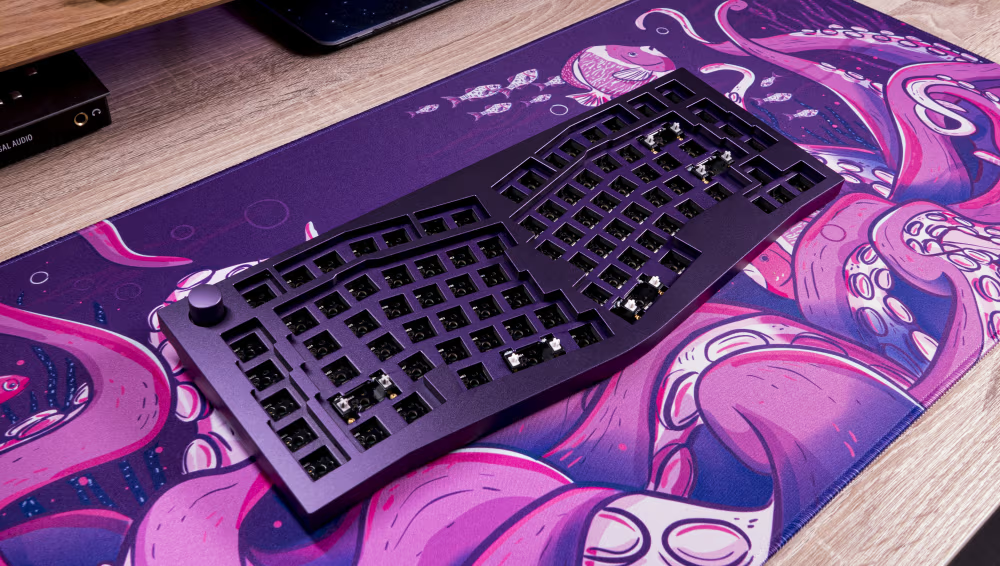
Professionals who spend most of the workday writing emails, preparing reports, entering data, or communicating with clients rely heavily on their keyboards. Over time, repetitive typing on an uncomfortable or poorly designed keyboard can contribute to wrist fatigue, finger discomfort, and reduced productivity. Creating a more ergonomic workspace can help support comfort during long work sessions, and choosing the right keyboard is an important part of that process.
An ergonomic mechanical keyboard is designed to provide a more comfortable and responsive typing experience. Mechanical key switches can offer consistent feedback with each keystroke, while a thoughtfully designed layout may reduce unnecessary hand and finger movement. For professionals who type for several hours each day, these features can make routine tasks feel smoother and less physically demanding.
Reducing Strain With a More Comfortable Keyboard Layout
Traditional full-size keyboards often include wide layouts, number pads, and additional keys that require users to stretch their hands farther across the desk. A more compact keyboard design can help keep the mouse closer to the body, potentially reducing excessive shoulder and arm movement throughout the day.
Keyboard position is also important. Ideally, users should be able to type while keeping their wrists in a neutral position and their elbows comfortably bent. A keyboard with a compact footprint can make it easier to center the primary typing area directly in front of the user. This arrangement may support better posture and reduce the tendency to twist or reach while working.
Mechanical keyboards can also provide clear tactile feedback, allowing users to recognize when a key has been activated without pressing it all the way down. Depending on the switch design and typing style, this may help reduce unnecessary force during repetitive typing. Consistent key response can be especially valuable for writers, programmers, administrative professionals, and other users who depend on accuracy and speed.
Comfortable typing is only one part of an efficient workspace. Professionals can also benefit from adjusting their chair height, positioning their monitor at eye level, taking regular movement breaks, and keeping frequently used equipment within easy reach. When these habits are combined with an ergonomic keyboard layout, they can support a more comfortable and productive work environment.
How ScanSnap Home Helps Keep Digital Documents Organized
Managing paper documents can create another source of workplace inefficiency. Receipts, contracts, invoices, meeting notes, and business records can quickly accumulate, making information difficult to locate when it is needed. Digitizing these materials helps reduce physical clutter while making files easier to search, organize, and share.
ScanSnap Home provides a centralized platform for managing documents scanned with compatible ScanSnap devices. The software can help users organize scanned files, manage document information, and maintain a more consistent digital filing system. Instead of manually sorting through folders of paper, professionals can access important records from their computers.
Users who need to set up the software on a new computer or compatible device can download ScanSnap Home and begin creating a more organized scanning workflow. Establishing consistent file names, categories, and storage locations can make digital documents easier to retrieve later.
A productive office should support both physical comfort and efficient information management. An ergonomic keyboard can help improve the daily typing experience, while document management software can simplify the way professionals capture and organize important records. Together, these tools can create a workspace that feels more comfortable, less cluttered, and better equipped for demanding workdays.